Best AI Tools for Students in 2025
AI is quickly becoming part of everyday student life. From taking notes and planning deadlines to understanding hard topics and preparing for exams, the right tools can make studying faster, clearer, and a lot less stressful.
We don’t see AI as a shortcut to “skip learning”, but as a smart study partner that helps you:
- understand complex ideas in simple words
- organize your brain (and your files)
- practice and get feedback on your work
- save time on routine tasks, so you can focus on actually learning
Below we’ve collected some of the best AI tools for students in 2025, plus a quick look at how AI can support real learning (not just generate answers).
How AI Can Actually Help You Learn
Used well, AI isn’t about cheating – it’s about learning smarter. Here are a few powerful ways to use it:
- Explain like a tutor, not like a textbook
Ask AI to explain things in simpler language, give examples, or compare concepts. You can even say, “Explain this like I’m 12,” or “Compare these two theories.” - Turn passive reading into active learning
Ask AI to quiz you on your notes, generate practice questions, or create flashcards from your lecture summaries. This helps move info into long-term memory. - Practice writing and thinking, with instant feedback
Draft your own answer first, then use AI to get suggestions, catch gaps in your logic, or improve clarity and structure. - Learn in your own language and pace
Translate explanations, simplify complex passages, or ask for more examples until a topic finally “clicks”. - Support different learning styles
Prefer visuals? Ask for a table or outline. Prefer step-by-step? Ask for the solution broken down into stages. Prefer stories? Ask for a practical example.
The golden rule: you stay in the driver’s seat. Let AI support your thinking, but don’t outsource it completely—especially for graded work and research integrity.
The Best AI Tools for Students in 2025
1. ChatGPT – AI-Powered Writing & Research Assistant
ChatGPT is like a multi-tool for studying. It can help with writing, research, coding, and explanations across almost any subject.
What students use it for:
- drafting and improving essays, reports, and presentations
- summarizing long articles or chapters
- getting step-by-step help with tricky concepts
- generating practice questions and study plans
Key features:
- Instant essay, report, and outline generation
- Code debugging and explanation for programming courses
- Language translation and grammar support
- Personalized “tutor-style” explanations across many subjects
Used responsibly, ChatGPT becomes a personal tutor and writing coach — not just a content generator.
2. Grammarly – AI Writing Enhancer
Grammarly is a great companion for any student who writes a lot (which is basically everyone).
What it helps with:
- polishing essays, emails, and applications
- catching grammar and punctuation errors
- making your writing clearer and more professional
Key features:
- Advanced grammar, spelling, and style suggestions
- Tone and clarity improvements for better readability
- Plagiarism checks to support academic integrity
- Works with Google Docs, MS Word, email, and browsers
Grammarly is especially helpful for non-native speakers and students who want their writing to sound more confident and polished.
3. Notion AI – All-in-One Study & Productivity Hub
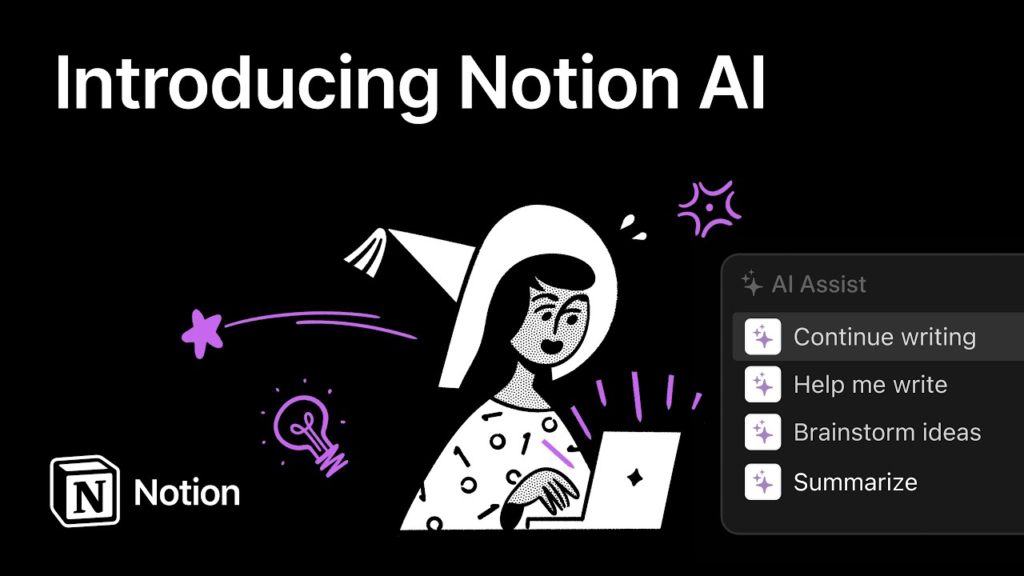
Notion AI turns Notion into a powerful study command center: notes, tasks, projects, and AI in one place.
Great for:
- organizing lecture notes, readings, and assignments
- managing deadlines and projects
- collaborating on group work
Key features:
- AI summaries of long notes, lectures, or articles
- Task and project management with reminders
- Custom databases for courses, readings, and assignment tracking
- Real-time collaboration for group projects
With Notion AI, students can keep everything in one workspace instead of scattering notes and to-dos across five different apps.
4. QuillBot – AI Paraphrasing & Clarity Tool
QuillBot helps students rephrase and clarify their own writing while preserving meaning.
Useful for:
- rewriting clunky sentences
- improving clarity and flow
- summarizing dense texts
Key features:
- AI-powered paraphrasing in different styles (more formal, more concise, etc.)
- Summarization of longer texts
- Vocabulary enhancement suggestions
- Integrations with Google Docs and MS Word
QuillBot is especially helpful when you understand the idea but struggle to express it clearly in your own words. (Still: always paraphrase ethically and cite original sources.)
5. Wolfram Alpha – Computational Engine for STEM Students
For math-heavy or technical subjects, Wolfram Alpha acts like a supercharged calculator plus explanation engine.
Perfect for:
- math, physics, engineering, stats, and other STEM courses
Key features:
- Step-by-step solutions to equations and problems
- Graphing, plotting, and visualizations
- Explanations of formulas and scientific concepts
- Support for everything from basic algebra to advanced calculus
Wolfram Alpha doesn’t just spit out answers — it can show the steps so you can learn the method, not just the result.
6. Otter.ai – AI-Powered Lecture & Meeting Transcription
Otter.ai turns spoken content into searchable, shareable notes.
Great for:
- recording lectures (where allowed)
- transcribing study group sessions or interviews
- reviewing content without re-listening to everything
Key features:
- Real-time automatic transcription
- Smart search across transcripts
- Highlights, keywords, and speaker detection
- Integrations with tools like Zoom, Google Meet, and Teams
With Otter.ai, students can focus on listening in class instead of racing to capture every word.
7. Elicit – AI Research Assistant
Elicit is built for academic research, helping students find and understand papers more efficiently.
Especially helpful for:
- literature reviews
- essays, theses, and research projects
Key features:
- AI summaries of academic papers
- Suggestions of relevant studies and citations
- Extraction of key data and findings from multiple sources
- Support for hypothesis exploration and comparison
Elicit doesn’t replace real reading, but it can speed up the search and screening phase so you spend more time on analysis and critical thinking.
8. Socratic by Google – AI Homework Helper

Socratic is a mobile-first helper for quick homework questions and bite-sized explanations.
Ideal for:
- middle school, high school, and early college level help
- on-the-go learning and revision
Key features:
- Snap a photo of a question and get step-by-step help
- Visual explanations for math, science, and more
- Concept breakdowns instead of just final answers
- Free and available on mobile devices
It’s like having a mini tutor in your pocket when you’re stuck on a specific problem.
9. Caktus AI – AI Tutor for College Students
Caktus AI focuses on college-level learning support across different subjects.
Students use it for:
- drafting essays and thesis sections
- solving math problems with explanations
- getting help with code and logic
- summarizing research with helpful pointers
Key features:
- Essay and academic writing assistance
- AI-based math and coding help
- Research summarization and basic citation support
Caktus AI can help students move faster through routine tasks, as long as they still take responsibility for understanding and originality.
10. Exam AI – AI-Powered Exam Preparation
Exam AI helps students prepare more strategically instead of just re-reading notes.
Perfect for:
- test prep across multiple subjects
- organizing revision time
Key features:
- AI-generated quizzes and practice questions
- Mock tests and spaced repetition
- Personalized study plans and progress tracking
- Explanations for tricky questions and topics
Used over time, Exam AI can help you spot weak areas early and turn exam prep into smaller, manageable chunks.
Using AI Tools as a Student: Smart, Ethical, and Effective
A few principles we strongly recommend:
- Use AI to understand, not to copy.
Let it clarify concepts, show steps, and suggest improvements—but keep the thinking and final work yours. - Check your school’s policies.
Many universities now have specific rules on AI usage for assignments, exams, and research. - Always review and fact-check.
AI can be wrong or incomplete. Treat outputs as drafts or starting points, not final truth. - Protect your data.
Be careful with what you paste—avoid sharing sensitive personal or academic information.
Final Thoughts: Best AI Tools for Students in 2025
AI tools are reshaping student life by making learning more accessible, organized, and personalized.
With the right mix of tools, students can:
- write and communicate more clearly
- master complex topics faster
- organize their time and workload
- prepare for exams more strategically
The key is balance:
AI should support your learning, not replace it. If you stay curious, ask good questions, and keep doing the thinking yourself, these tools can become some of the most powerful study partners you’ve ever had.
Comments
No comments yet. Be the first to comment!
Leave a Reply