10 Best AI Video Generators in 2025–2026
AI video tools have moved from “interesting experiment” to “real everyday tool” very quickly.
We can now go from a simple text idea to a ready-to-share video with music, voiceover, and visuals—without a studio, actors, or heavy editing.
There are many options, and they’re not all built for the same job. Some tools are great for cinematic, creative clips, others shine in corporate training, explainers, and avatar videos, and some focus on turning written content into video.
To help you navigate this space, we’ve pulled together a top 10 AI video generators worth knowing right now.
How we look at AI video tools
When we talk about “best”, we’re not judging only visual quality. We look at:
- Video generation types
Text-to-video, image-to-video, video-to-video, avatars, repurposing existing footage or text. - Ease of use
Can someone non-technical create a decent video in under an hour? - Editing power
Can we refine the result, change small details, adjust pacing, and fix errors? - Use case fit
Is the tool better for marketing, training, internal comms, social content, or creative projects?
With that in mind, here are the 10 tools that stand out.
1. Runway – the most versatile AI video generator
Runway has become one of the strongest all-round video models on the market. Its latest generation can:
- turn text prompts into short video clips
- convert images into moving scenes
- transform existing video into a new style or look
We can feed Runway a reference image or clip (for example, a character or a setting) and then generate multiple shots in different styles while keeping that character and scene consistent. That consistency has been a big weakness of many video models, and Runway is one of the tools actively tackling it.
On top of generation, Runway offers “directing” tools: we can highlight specific areas of the frame and define how they should move, giving more control over motion instead of relying on random chance.
If we want one tool that covers creative experiments, concept clips, and more polished short videos, Runway is a very strong candidate.
2. InVideo – best for script-to-video and business content
InVideo focuses on turning scripts and text prompts into structured videos with:
- visuals and stock media
- AI voiceover
- subtitles and music
We describe what we want (“a 60-second vertical video summarizing X for social media”), add key details like length and orientation, and the tool builds a first version for us.
Where InVideo is especially useful:
- marketing and social media videos
- short explainers, promos, product intros
- teams that want to start from a written script and end with a ready-to-share video
We can then edit the result through text-style controls, instead of cutting everything manually on a timeline. That makes it approachable even for people who don’t feel like “video editors”.
3. Sora – short, high-quality clips from OpenAI

Sora is OpenAI’s video model. It’s designed for short clips and pairs well with text-based workflows.
What stands out:
- strong visual quality for short sequences
- the ability to remix a generated clip by adding or changing elements using text
- tools to extend a clip by adding more frames before or after a moment we like
We describe a scene (“a slow pan across a futuristic city at sunset”) and then refine it: remove objects, adjust the mood, change the style. Sora is not a full editing suite, but as a clip generator it is very capable and a natural fit if we already use OpenAI tools for text and images.
4. Kling – text-to-video with strong style control
Kling focuses heavily on text-to-video generation and gives us clear ways to switch between styles, such as:
- anime
- realism
- more stylized looks
We write a prompt, pick a style, and let the model do its work. Features like motion brushes and smooth transitions between keyframes help refine motion and make clips feel less random.
Kling also offers API access, which matters if we want to integrate video generation into our own products, workflows, or internal tools. That makes it interesting not just for creators, but also for teams building AI-powered experiences.
5. VEED – business-ready videos with avatars and smart editing

VEED is aimed squarely at business use: marketing, sales, training, and internal comms.
Key strengths:
- text-to-video starting point
- AI avatars that can present to camera, based on either stock characters or cloned from a real person
- tools for subtitles, translations, filler word removal, and eye-contact correction
We can write a script, pick or create an avatar, and generate a “talking head” style video without cameras or studios. VEED also makes it easy to auto-generate subtitles and then tweak them for timing and clarity.
If our main use case is corporate video—training modules, onboarding, announcements, sales explainers—VEED is one of the more complete, business-friendly AI platforms.
6. HeyGen – best for realistic AI avatars and multilingual videos
HeyGen is all about avatars and “to-camera” content.
We can:
- create an AI clone of ourselves from uploaded footage
- generate new avatars from text prompts
- choose from a catalog of stock presenters
Once the avatar is ready, HeyGen offers:
- customization of clothing, background, and style
- motion controls for facial expressions and gestures
- voice translation into a very wide range of languages and dialects
That makes HeyGen especially useful if we want to speak to audiences in multiple languages without re-filming everything, or if we want consistent branded faces across a large number of videos.
7. Synthesia – script-driven videos for training and communication
Synthesia is another major player in the avatar-driven video space, with a strong focus on business training, e-learning, and internal communications.
What we get:
- hundreds of diverse avatars, plus the option to create a “digital twin”
- support for over a hundred languages and accents
- a large library of templates for different corporate use cases
The core workflow is simple:
we paste a script, pick an avatar, adjust the layout, and let the AI generate a video where that avatar reads our text.
Synthesia also supports automatic captions and translations, which helps if we need to roll out the same training module to global teams.
8. Haiper – playful video creation for content and social
Haiper leans toward content creators and social media.
It supports:
- text-to-video
- image-to-video
- “repainting” existing videos (swapping elements, changing style, etc.)
We can quickly play with presets for style, color, “lens,” and emotion, making it easy to test multiple looks without deep technical knowledge.
Haiper is a good fit when we want:
- short, eye-catching clips for feeds and stories
- fun, experimental visuals to support blog posts or promos
- a more playful environment to explore what AI video can do
If Runway is the serious director, Haiper is the energetic content friend that helps us generate ideas and social-friendly visuals fast.
9. Colossyan – specialized in training and learning videos

Colossyan focuses on training, explainers, and educational content.
Its strengths lie in:
- turning scripts, documents, or slides into lesson-style videos
- using avatars to simulate role-play and scenario-based training
- adding simple interactivity like quizzes and branching flows
We can have avatars “talk to each other” in a training scenario, creating more immersive learning without having to film two people role-playing. Combined with a wide choice of AI voices and languages, Colossyan is particularly useful for L&D teams and internal academies.
If our main job is to turn training material into something people actually watch, Colossyan is built with that exact use case in mind.
10. Pictory – turning written content into video
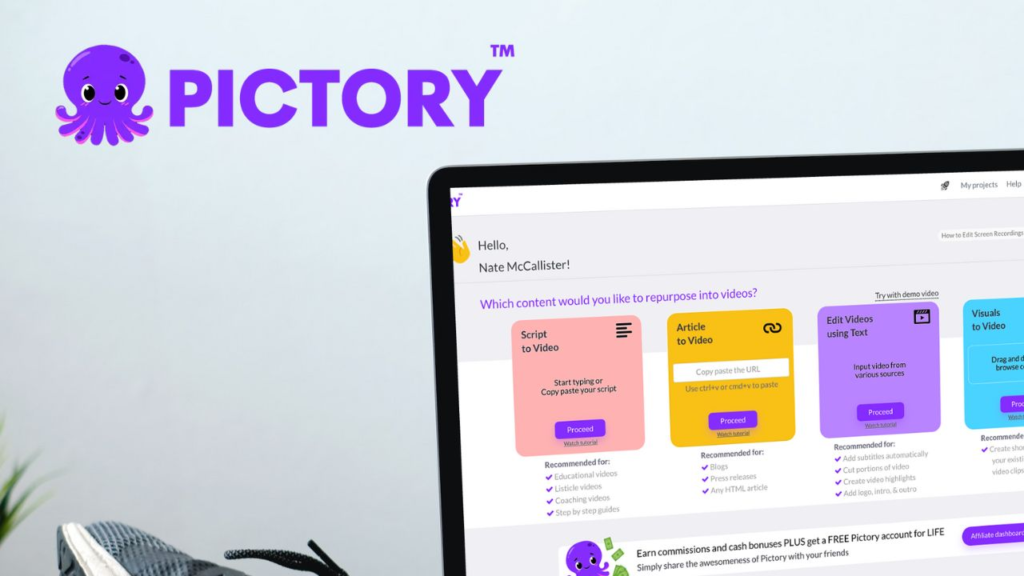
Pictory is all about repurposing existing content into video.
We can start from:
- blog posts
- transcripts
- presentations
- long-form text
…and let the AI:
- pull out key points
- build a storyboard
- suggest visuals, stock clips, and music
- generate captions and subtitles
Pictory is powerful when we already have a lot of written material and we want to reach more people by transforming that content into short, shareable videos—without scripting and editing from scratch every time.
How to choose the right AI video generator for your use case
Here’s a quick way to match tools to goals:
- We want cinematic or experimental clips.
→ Start with Runway, Kling, or Haiper. - We want script-to-video for marketing and social.
→ Look at InVideo and Pictory. - We need business-ready training, onboarding, or internal comms.
→ Explore VEED, Synthesia, and Colossyan. - We care about avatars and multilingual delivery.
→ Try HeyGen, Synthesia, or VEED.
The tools are evolving fast, but the core idea stays the same:
AI handles the heavy lifting—rendering, stitching, lip-sync, pacing—so we can focus on clear messages, good structure, and useful content.
Comments
No comments yet. Be the first to comment!
Leave a Reply