The best AI tools to organize, automate, and run your work in 2026
These apps don’t just answer questions — they move work forward.
Not every AI win is a viral video or a clever blog post. A lot of the real productivity gains happen in the boring but essential parts of work: finding information, updating tasks, writing follow-up emails, scheduling meetings, and keeping projects moving.
This guide focuses on AI tools that act more like teammates and infrastructure than creative partners: they help you search, organize, plan, meet, schedule, and automate.
1. AI browsers and agents that act on your behalf
Perplexity Comet
Best for: automating how you browse
Perplexity’s Comet browser weaves AI into browsing itself:
- pre-loads pages it thinks you’ll need
- suspends tabs you’re unlikely to use soon
- learns your habits to make things feel snappier
Its standout feature is Comet Assistant, an autonomous agent that:
- can navigate websites
- click buttons and fill in forms
- send messages on your behalf (with pauses at sensitive steps like login)
You can watch everything it does and pause or intervene if needed — great for tasks like organizing open tabs, finding old links, or handling repetitive web actions.
ChatGPT Atlas
Best for: AI browsing in the ChatGPT ecosystem (Mac)
Atlas is OpenAI’s AI browser, currently available on Mac. It:
- wraps a Chromium-based browser with ChatGPT
- offers an Agent mode that can browse and act for you
- keeps a familiar ChatGPT-style sidebar with tab context
The autonomous features are still maturing and can be slow, but Atlas feels like a natural extension if you already live inside ChatGPT.
Botpress
Best for: building serious, production agents
Botpress is less “AI toy” and more “bot platform”:
- combines prompts, knowledge bases, tools, and channels
- includes a visual builder, but expects you to read docs and think like a developer
- helps you deploy agents for customer support, internal ops, or website concierges
If you want agents that truly plug into your systems and follow complex workflows, Botpress is a strong option — as long as you have technical resources.
2. Knowledge management, universal search, and grounding
Mem

Mem helps you capture ideas without worrying about structure:
- auto-tags and links your notes
- uses AI for search and discovery
- surfaces related ideas when you come back later
It’s ideal for people who dump thoughts everywhere and don’t want to spend time organizing.
Notion

Notion is already a flexible workspace for docs, databases, and wikis. With Notion AI, you can:
- ask natural-language questions grounded in your Notion content
- get summaries with links back to original pages
- resurface insights you wrote down months or years ago
It turns your Notion workspace into a searchable, conversational knowledge base.
Evernote
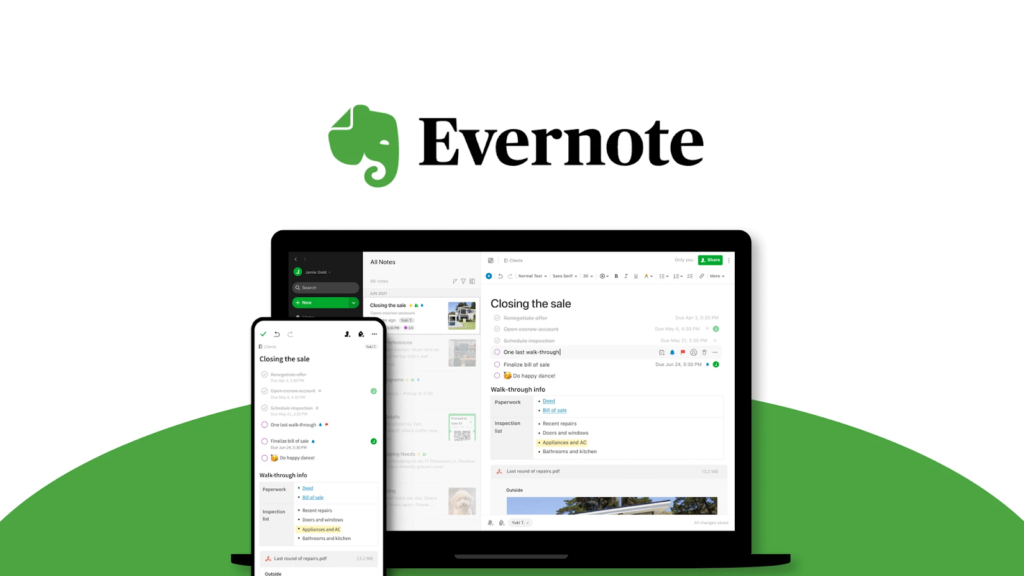
Evernote has quietly added AI on top of its classic note-taking:
- clean up messy notes (typos, rambles, structure)
- summarize long entries
- reformat notes into emails or social posts
It can also answer questions across your PDFs, images, and handwritten notes, and mix notes, tasks, and calendar events in one summary.
Dropbox Dash
Dropbox Dash pulls together your scattered work:
- connects to your apps and storage
- offers a universal search across tools
- lets you build dashboards that pull in related data for projects or teams
Combined with AI, it becomes a single entry point to “everything we’re doing on X.”
Glean
Glean has a similar mission: be the internal search engine for your organization:
- indexes documents, chats, tickets, and more
- uses AI to answer questions in natural language
- respects permissions so people only see what they should
For larger teams drowning in tools, Glean can be a serious time-saver.
3. AI project and task management
Asana

Asana adds AI across its project features:
- suggests realistic quarterly goals using historical data
- flags risks and blockers before they blow up
- answers questions about projects and workloads
It’s still Asana at heart, but with an extra brain that helps you prioritize and plan more intelligently.
ClickUp
ClickUp is an “everything workspace” — tasks, docs, chat, dashboards — and ClickUp Brain lives on top of that:
- navigates your workspace
- summarizes threads and docs
- answers detailed questions about tasks and projects
ClickUp also offers Autopilot Agents to handle recurring work (reports, task updates, property changes) and Brain Max to connect to external tools like SharePoint or Dropbox, so AI can pull context from your whole stack.
Hive

Hive leans into AI for project setup:
- Project-from-a-Prompt turns a sentence into phases, timelines, and tasks
- HiveMind helpers can generate content, add tasks, and translate or edit text inside your workspace
It’s particularly helpful if you often repeat similar project structures and want to go from idea → full plan quickly.
4. AI transcription and meeting assistants
Fireflies

Fireflies records and transcribes your meetings, and its bot Fred can:
- summarize calls
- highlight key topics
- search across your meeting history
It’s excellent for capturing decisions and action items without obsessively taking notes yourself.
Avoma

Avoma goes deeper into conversation intelligence:
- tracks filler words, monologues, and talk ratios
- breaks down topics discussed across calls
- scores calls to help sales teams improve
It’s focused less on “just the transcript” and more on coaching and insight.
Granola
Granola offers a lightweight, privacy-friendly twist:
- transcribes, summarizes, and analyzes calls
- lets you type your own notes and auto-fills missing context from the transcript
- doesn’t join calls as a bot — it captures audio from your device, so it works with any tool
You can also use its iPhone app for in-person meetings. It plays nicely with other tools like Notion and HubSpot, and becomes even more powerful when connected to automation.
5. AI scheduling and calendar tools
Reclaim
Reclaim protects the time that matters:
- reserves time for recurring habits (gym, reading, deep work)
- adjusts events when conflicts arise
- defends focus time against meeting creep
You can connect it with other tools so tasks become time-blocked automatically, keeping your actual calendar aligned with your priorities.
Clockwise
Clockwise is designed for teams:
- automatically rearranges meetings to create focus blocks
- coordinates calendars across people to minimize fragmented days
- even schedules a one-hour break early on to prove it works
It’s a great option if “no one ever has more than 30 minutes of focus time” is your current reality.
Motion
Motion blends project management with auto-scheduling:
- you add tasks with priorities and deadlines
- Motion places them on your calendar
- it adjusts when things shift or new tasks arrive
Paired with automation, Motion can turn Slack messages or emails into scoped tasks and slot them into your day without manual dragging.
6. AI email and inbox management
Shortwave
Shortwave is like a supercharged Gmail client:
- generates reply drafts
- summarizes long threads
- offers natural-language scheduling and AI search across your inbox
Right now it only works with Gmail, but for those accounts it’s one of the best AI inbox experiences available.
Microsoft Copilot Pro for Outlook
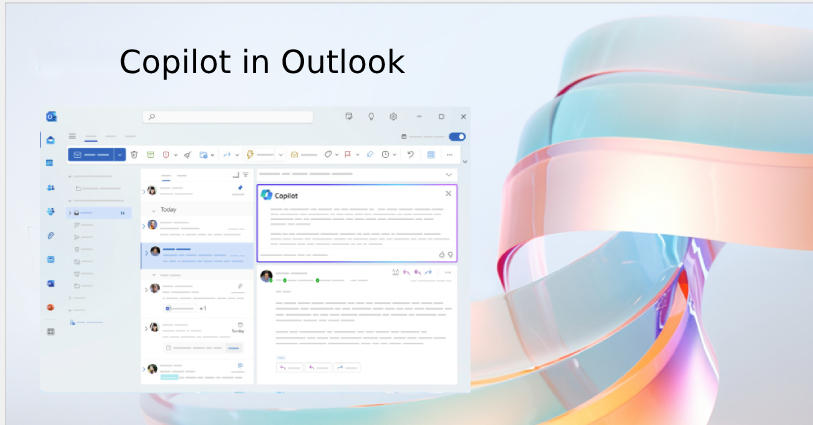
Microsoft Copilot weaves AI into Outlook:
- summarises long threads and shows links back to key messages
- generates draft replies
- offers “Coaching by Copilot” to analyze your tone and clarity
If your world runs on Microsoft 365, this is an easy way to upgrade Outlook without changing tools.
Gemini for Gmail
Google’s Gemini add-on brings AI straight into Gmail:
- star icon opens contextual actions in your inbox
- summarises your top threads
- answers questions about email conversations
- helps you draft and refine replies, with the option to pull in Google Search results as extra context
It also connects across Workspace (Docs, Sheets, Keep, etc.), so email becomes part of a larger AI-assisted workflow.
7. AI for screen recording and async communication
Loom

Loom lets you record your screen, camera, and voice to explain anything in a few minutes instead of writing long emails.
With AI, it now:
- auto-titles your videos
- splits them into labeled sections
- generates topic breakdowns and summaries
That makes it easier for teammates to skim and jump to the relevant part — and for you to store and reuse recordings as internal documentation.
8. AI app builders for internal tools
Softr
Softr helps non-developers turn data (often from Airtable or Google Sheets) into working web apps:
- use templates for portals, dashboards, and CRMs
- customize with drag-and-drop
- sprinkle in AI for search, summaries, or smart filters
It’s great for internal tools and lightweight client portals.
PowerApps
Microsoft PowerApps is aimed at organizations already deep in the Microsoft ecosystem:
- connects to data sources across 365 and beyond
- lets you design business apps with minimal code
- now includes AI features inline (e.g., to interpret inputs or power chat-like experiences)
It’s more complex than Softr, but very powerful for enterprise setups.
AppSheet
AppSheet (from Google) lets you build apps from spreadsheets:
- uses your data structure to propose an app
- supports mobile and web interfaces
- now offers AI features to interpret natural language inputs or add smart automation
Ideal for teams living in Google Workspace who want quick internal tools without spinning up a dev project.
9. AI content detection and quality control
Sapling

Sapling offers AI content detection and writing assistance:
- flags text likely written by AI
- checks grammar and clarity
- helps teams enforce quality guidelines
Useful if you need to ensure certain deliverables stay human-written or meet specific compliance rules.
Winston AI
Winston AI has a similar mission:
- detects AI-generated text
- offers plagiarism checks and readability scoring
It’s handy in education, publishing, or any content workflow where you need a second opinion on authenticity.
10. AI browsers (again), but focused on productivity
We’ve already talked about Perplexity Comet and ChatGPT Atlas as AI browsers, but it’s worth calling them out again as part of a bigger shift: more of our workflow is moving inside the browser, and these tools:
- remember what you were working on
- can act on pages, not just summarize them
- start to feel like an operating system on top of the web
As AI agent capabilities mature, these browsers will become an even bigger part of how we “do work” online.
Which AI productivity tools are right for your organization?
You don’t need all of these (please don’t try to use all of these).
A simple starting strategy:
- For individuals:
- Pick one chatbot (ChatGPT or Claude)
- One research tool (Perplexity or Brave)
- One project tool (Asana, ClickUp, or Motion)
- One meeting assistant (Fireflies, Avoma, or Granola)
- Pick one chatbot (ChatGPT or Claude)
- For teams / orgs:
- Choose a central project + knowledge hub (Notion, ClickUp, Asana)
- Add meeting intelligence (Fireflies / Avoma)
- Standardize on email + scheduling AI (Shortwave, Copilot, or Gemini + Reclaim/Clockwise)
- Layer in automation and agents (Comet, Atlas, Botpress, app builders) where repetitive work is heaviest
- Choose a central project + knowledge hub (Notion, ClickUp, Asana)
The goal isn’t to build an AI zoo — it’s to create a small, stable toolkit that quietly removes friction from your day. Start with one or two bottlenecks, pick a tool to attack each, and only expand once those wins are real.
Comments
No comments yet. Be the first to comment!
Leave a Reply